

February’s updates focus on smarter AI, better visibility across deals, and tools that help teams work faster with less manual effort.
February might be the shortest month of the year, but HubSpot still shipped a steady stream of meaningful product improvements. After a brief pause in our January roundup while things were particularly busy on our side, we’re back with the updates that actually matter.
Rather than listing everything released, we’ve focused on the 10 updates most likely to improve how your teams work. These are the releases that reduce friction, improve visibility, and help you get more value from the tools you’re already using.
![Top 10 HubSpot Product Updates [February 2026]]](https://weareforbidden.com/hs-fs/hubfs/Top%2010%20HubSpot%20Product%20Updates%20%5BFebruary%202026%5D%5D.jpg?width=636&height=358&name=Top%2010%20HubSpot%20Product%20Updates%20%5BFebruary%202026%5D%5D.jpg)
1. Record Videos Directly in HubSpot
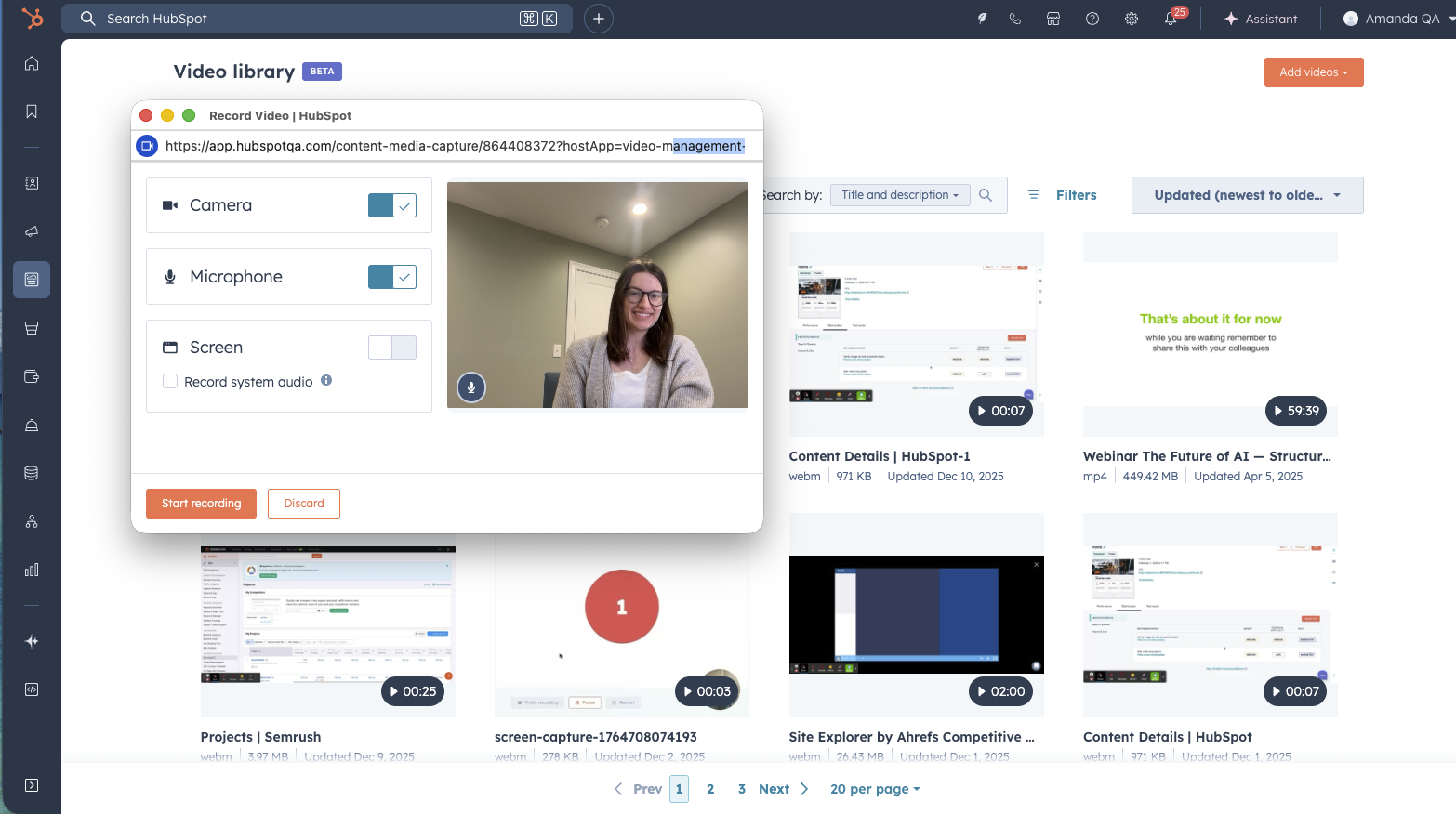
HubSpot now allows you to record videos directly within the platform, removing the need for third-party recording tools.
For sales and marketing teams, creating quick videos often involves jumping between platforms, recording in one tool, downloading the file, then uploading or sharing it somewhere else. This update removes that extra step.
Now you can record videos inside HubSpot to send prospect messages, explain proposals, share internal updates, or provide quick walkthroughs.
This is ultimately about speed and simplicity. Video can dramatically increase engagement in sales and customer success, but only when it's easy to create.
By keeping video recording inside HubSpot, teams can:
- Create quick personalised sales videos faster
- Reduce tool switching
- Keep sensitive content inside the CRM rather than on personal devices
For teams already using video in their sales process, this makes it much easier to scale.
2. Buying Groups
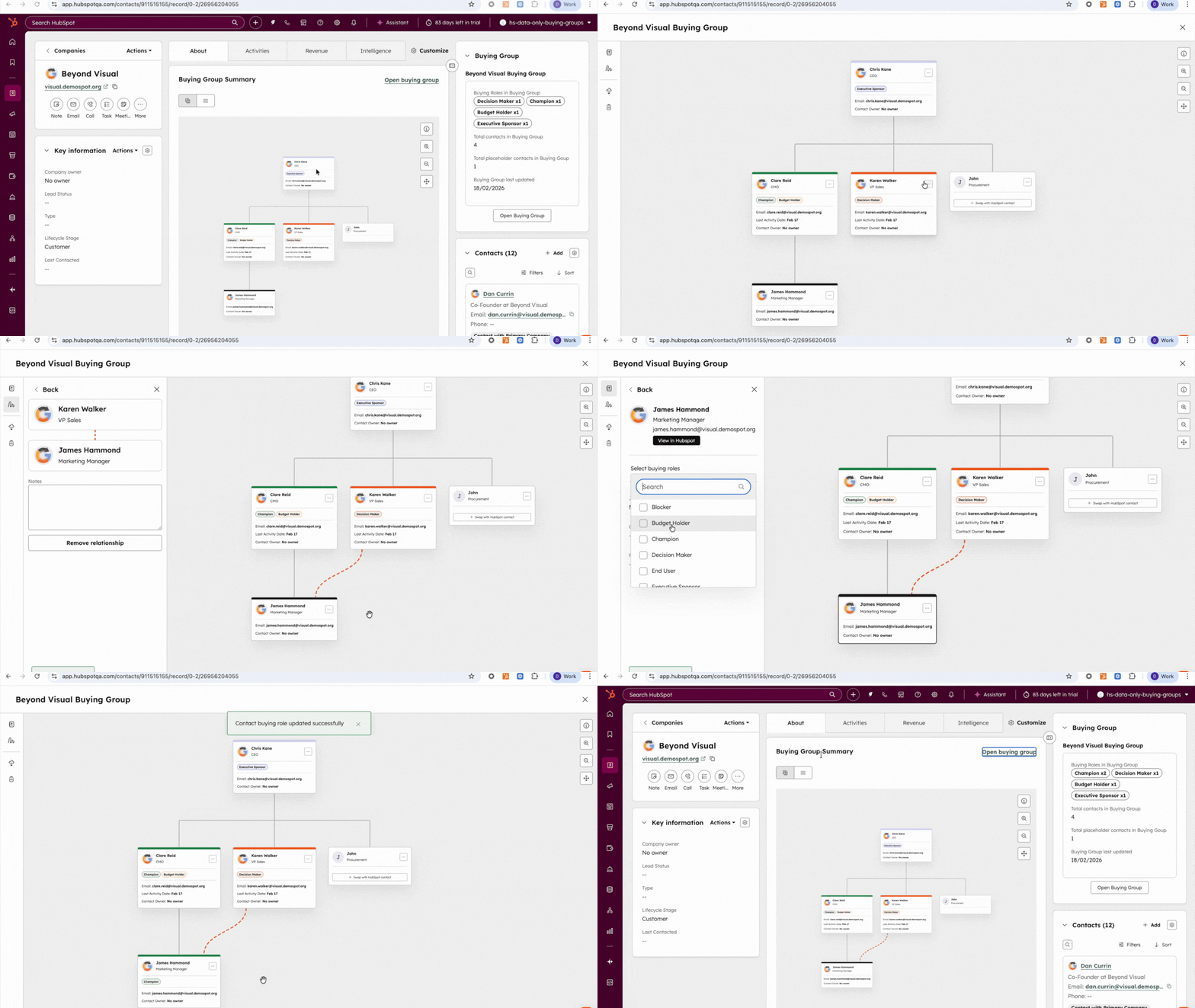
HubSpot has introduced Buying Groups for Sales Hub and Service Hub Professional, a feature designed to help teams manage complex B2B buying decisions.
In most B2B deals, you're rarely selling to one person. Instead, there are multiple stakeholders involved: decision-makers, influencers, champions, and blockers.
Buying Groups gives teams a clear visual view of the stakeholders involved in a deal or renewal, helping sales and customer success teams understand exactly who needs to be engaged.
Modern B2B buying is collaborative. According to Gartner, the average buying group contains 6–10 decision makers.
Without visibility into those relationships, deals stall.
Buying Groups helps teams:
- Identify missing stakeholders in deals
- Understand who influences decisions
- Map relationships across accounts
- Manage renewals more strategically
For organisations selling into complex accounts, this is a significant step forward.
3. TikTok Ads Integration
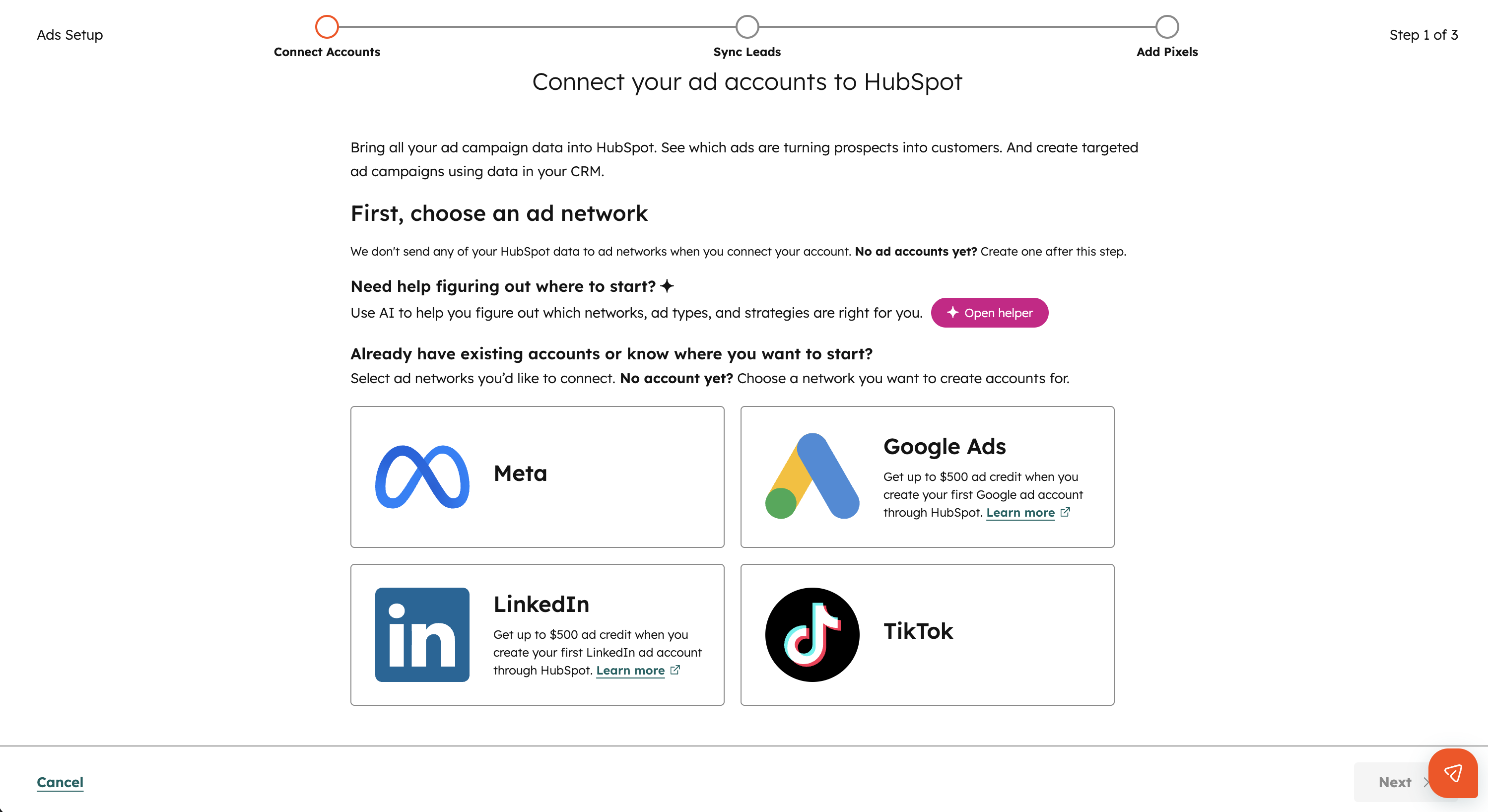
HubSpot now supports TikTok Ads integration, allowing marketers to connect their TikTok ad account directly to the platform.
Once connected, teams can:
- View TikTok campaign performance alongside other marketing channels
- Track contacts and deals generated from TikTok ads
- Sync HubSpot segments as TikTok audiences
- Add TikTok pixels to their website
TikTok has become a serious marketing channel for many brands, but attribution has often been fragmented.
With this integration, marketers can finally see TikTok performance within the full customer journey inside HubSpot.
This means better visibility into:
- Which campaigns actually generate leads
- Which ads influence deals
- How TikTok compares to other acquisition channels
For teams investing in paid social, this closes an important reporting gap.
4. Enhanced Multi-Step Form Logic
HubSpot has upgraded conditional logic in multi-step forms, giving marketers far greater control over the experience visitors see.
You can now:
- Dynamically hide or reveal form steps based on responses
- Show fields, content blocks, or rich text conditionally
- Automatically present the submit button if remaining steps are hidden
This replaces older logic methods with a much more flexible approach.
Forms are often one of the biggest friction points in the conversion journey.
When forms ask irrelevant questions or feel too long, conversion rates drop.
This update allows marketers to create much smarter forms, showing only the questions that matter to each visitor.
The result is:
- Shorter perceived forms
- More personalised experiences
- Higher completion rates
For teams focused on lead generation, this is a meaningful improvement.
5. Give Instructions to Your Customer Agent
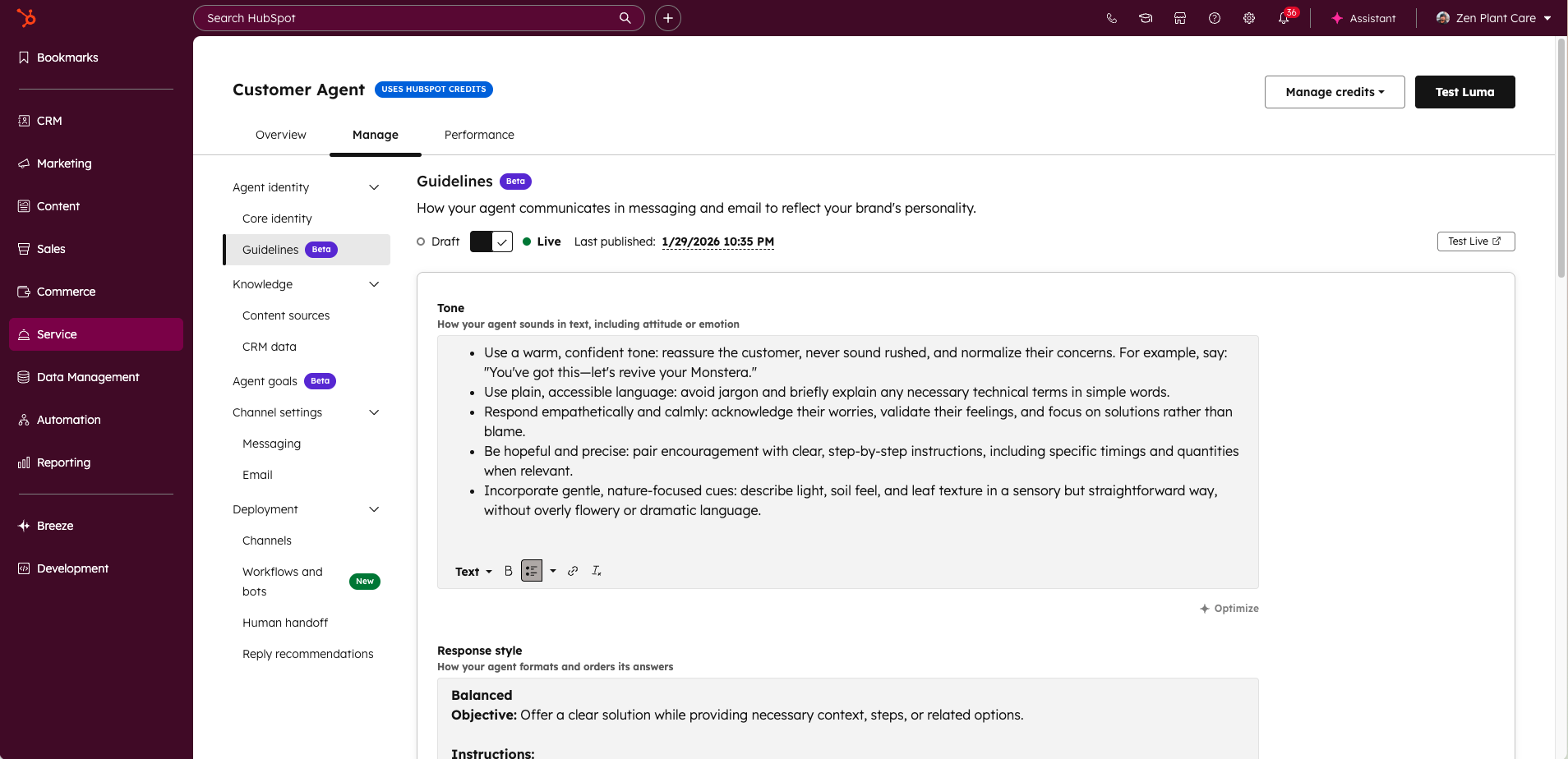
You can now provide clear instructions to your AI Customer Agent, defining how it should communicate with customers.
Teams can set:
- Tone of voice
- Response style
- Scripted replies
- Guardrails for responses
This gives businesses far greater control over how AI interacts with their customers.
AI is incredibly powerful, but consistency is critical when it comes to customer communication.
Without guidance, AI responses can vary in tone or accuracy.
By defining clear instructions, teams can ensure the Customer Agent:
- Matches brand voice
- Follows support guidelines
- Provides reliable answers
This is an important step in making AI support more trustworthy and brand-aligned.
6. Breeze Assistant for Workflow Actions
HubSpot’s Breeze Assistant can now help you add and edit workflow actions while building workflows.
Instead of manually configuring every step, you can simply tell Breeze what you want the workflow to do. The assistant will then:
- Generate workflow actions
- Ask for missing information
- Provide suggestions
- Build actions for you
This replaces the earlier “Generate actions with AI” feature with a more interactive assistant.
Workflows are incredibly powerful, but they can also be complex to build.
Breeze Assistant lowers that barrier by letting users describe their automation in plain language.
This means teams can:
- Build workflows faster
- Reduce setup errors
- Experiment with automation more easily
For organisations heavily relying on automation, this could significantly speed up workflow creation.
7. Meeting Notetaker Improvements
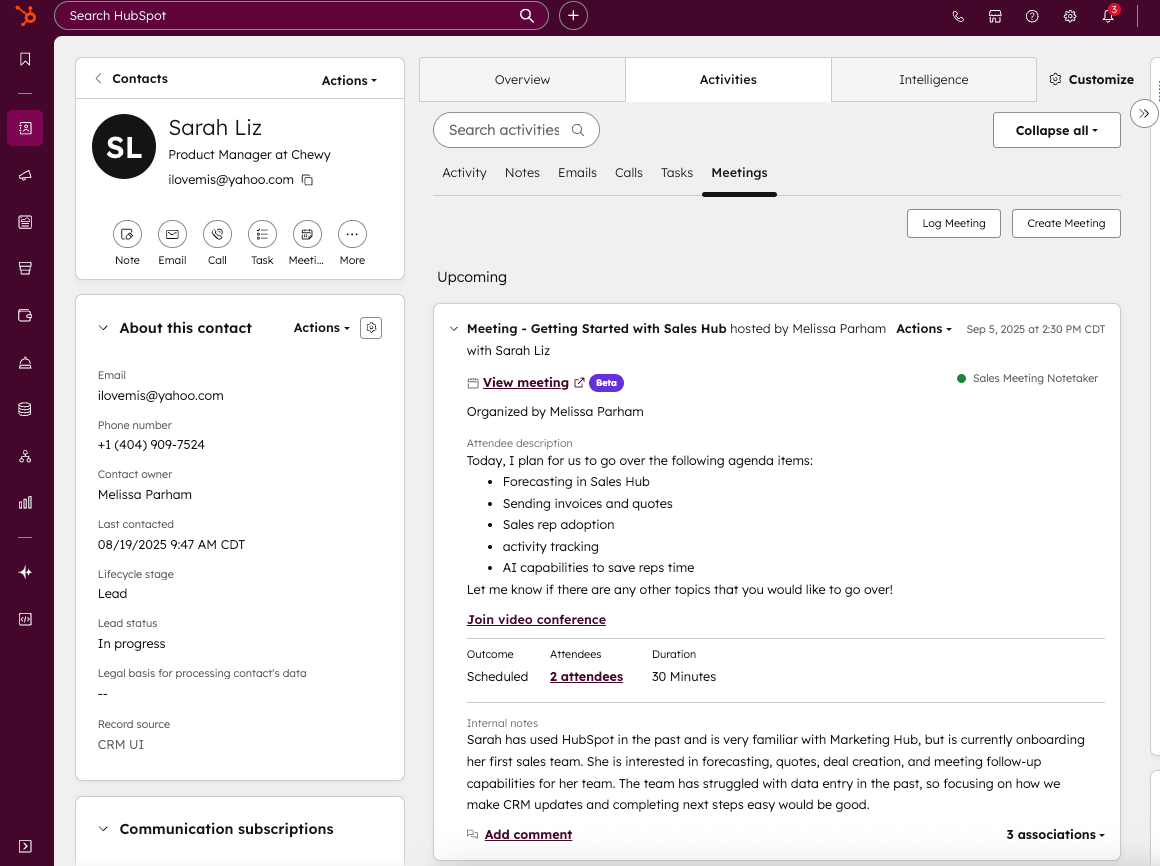
HubSpot has rolled out several improvements to its Meeting Notetaker, based on beta user feedback.
Key improvements include:
- Support for rescheduled meetings
- The notetaker now joins at the meeting start time rather than 2 minutes early
- Speaker mapping, showing which participant said what in transcripts
- Recordings now stored for two years
Meeting intelligence tools are only useful when they capture conversations reliably.
These improvements make the notetaker far more dependable and easier to use.
Speaker identification in particular helps teams quickly review conversations, extract insights, and share accurate summaries across teams.
For sales and customer success teams managing many calls, this can save a significant amount of time.
8. Sales Documents Nested Folders
HubSpot now supports multi-level folder hierarchies for Sales Documents.
Sales teams can now organise their content into nested folders, making it easier to structure collateral such as:
- Proposals
- Case studies
- Product sheets
- Sales presentations
As sales libraries grow, finding the right content becomes increasingly difficult.
Nested folders allow teams to organise documents more logically - by product line, industry, use case, or region.
The result is:
- Faster access to collateral
- Better organisation
- Less duplication of documents
A small change that can make daily sales work much smoother.
9. Dynamic Prompt Suggestions in Breeze Assistant
Breeze Assistant now offers dynamic prompt suggestions that adapt to each user.
Instead of generic prompts, the assistant now recommends suggestions based on:
- Your role and permissions
- Available portal capabilities
- Your current page
- Recent activity and conversations
AI tools are only as useful as the prompts users give them and the fact of the matter is, many users simply don’t know where to start.
These personalised suggestions guide users towards relevant, high-value tasks, making Breeze easier to use and more impactful.
It’s a subtle improvement, but one that can dramatically increase adoption.
10. Granular Filter Insights in Segments
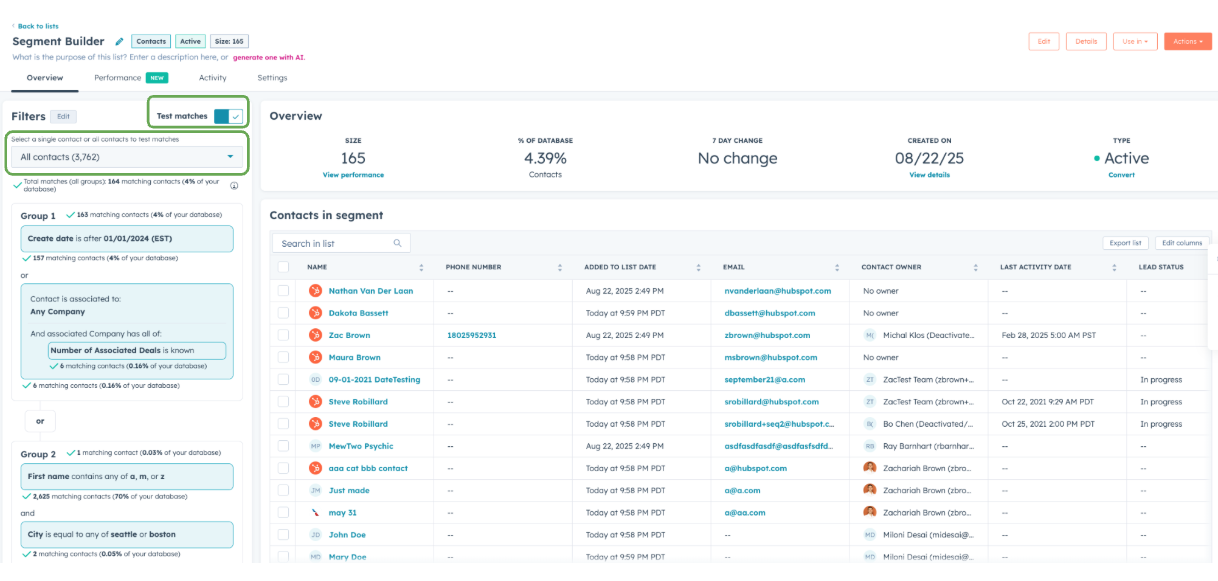
HubSpot has introduced Granular Filter Insights when building segments.
As you add filters, you can now see exactly how each one affects your audience size.
You’ll be able to see:
- How many records match each filter
- Whether filters expand or narrow your audience
- When a filter has no effect at all
Segment building has traditionally involved a lot of trial and error.
You add filters, refresh results, then adjust again.
Granular Filter Insights removes that guesswork by giving real-time feedback as you build.
This helps teams:
- Build more accurate segments
- Identify redundant filters
- Understand their audience data better
For marketers and CRM managers working with complex datasets, this update is a major usability improvement.
Why These Updates Matter as Whole
February’s updates show HubSpot continuing to focus on three key areas:
- AI-powered productivity
- Better visibility into customer data
- Reducing operational friction
From AI-assisted workflow creation to smarter segmentation and better sales collaboration, these improvements are all designed to help teams move faster with less manual work.
And if this month is any indication, 2026 is shaping up to be another big year for the platform.
If you want help turning these updates into a real-world improvements inside your HubSpot portal, we're always here to talk through what's possible.

Related posts